
How to fix a Zebra ribbon out error
A Ribbon Out message with a ribbon fitted, or a ribbon that wrinkles and leaves streaks and voids, usually comes down to a media-type mismatch, a ribbon loaded the wrong way, or a width/tension problem. Here is how to work through it.
Most common causes
The ribbon is actually out or nearly out
Thermal transfer printers stop with Ribbon Out when the roll is spent. Fit a fresh ribbon rated for your printhead width before anything else.
Media type set wrong (the usual false alarm)
If the printer is set to thermal transfer but you use direct thermal media, it expects a ribbon and reports Ribbon Out. If you use thermal transfer media, it needs a ribbon. Match the media type to what you load.
Ribbon loaded the wrong way
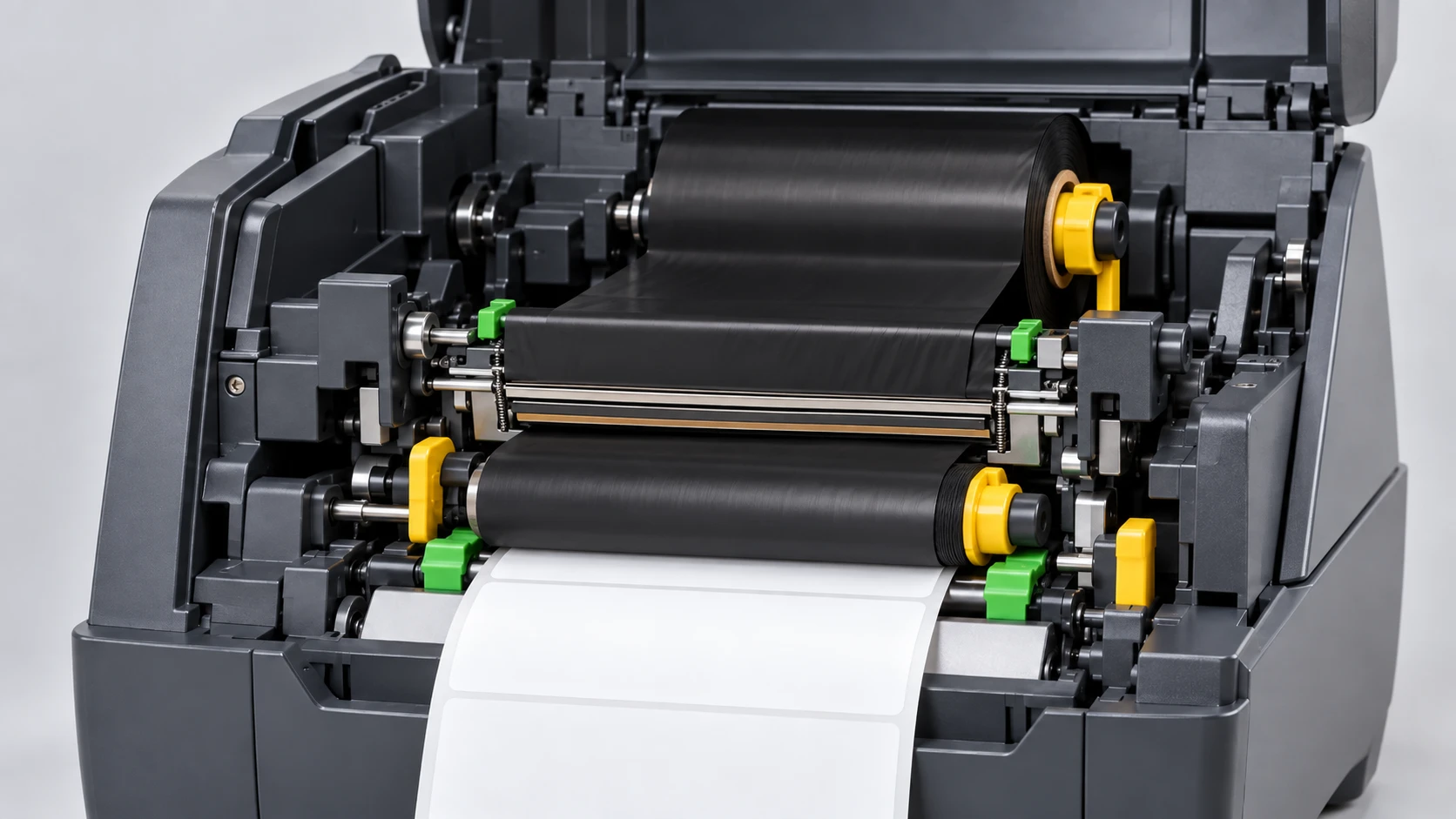
A ribbon threaded on the wrong path, with the coated (ink) side facing the wrong way, or not seated on both the supply and take-up cores, is not detected and prints nothing or throws Ribbon Out.
Ribbon wrinkle causing voids
Creases in the ribbon leave diagonal unprinted streaks. Causes: ribbon narrower than the media, uneven printhead pressure, too much darkness/heat, or misaligned or dirty rollers.
Dirty ribbon sensor or width mismatch
A dirty ribbon sensor, or a ribbon much narrower than the media, can make the printer misread ribbon presence and report Ribbon Out even when one is fitted.
Step-by-step fix
- Check the ribbon supply. If it is spent or nearly spent, fit a new ribbon rated for your printhead width and for your media.
- Match the media type. Set thermal transfer if you print with a ribbon; set direct thermal (and remove the ribbon) if you use heat-sensitive media. A media-type mismatch is the most common false Ribbon Out.
- Reload the ribbon correctly: follow the threading diagram, use the correct coated-side orientation for your model, and seat it on both the supply and take-up spindles with the slack taken up.
- For wrinkle, match the ribbon width to the media (equal or slightly wider), balance the printhead pressure/toggle, lower excessive darkness, and check that rollers are clean and aligned so the ribbon tracks evenly.
- Clean the printhead and ribbon sensor, recalibrate, and run a test print. Send the sample ZPL below (it sets thermal transfer with ^MTT) to confirm the ribbon prints cleanly.
Thermal transfer test label
This label sets thermal transfer mode (^MTT) and prints text and a barcode, so you can confirm the ribbon is transferring cleanly with no wrinkle or voids.
^XA
^MTT
^FO40,40^A0N,40,40^FDThermal transfer OK^FS
^FO40,110^BY3,2,110
^BCN,110,Y,N,N
^FD123456789^FS
^XZOfficial Zebra resources
Frequently asked questions
Why does it say Ribbon Out when a ribbon is installed?
Usually the media type is set to thermal transfer but the ribbon is loaded the wrong way or on the wrong path, or you are actually using direct thermal media. Set the correct media type, reload the ribbon per the diagram, and clean the ribbon sensor.
How do I know if my printer needs a ribbon?
Thermal transfer uses a ribbon; direct thermal does not and uses heat-sensitive media. Scratch test: rub the media firmly with a fingernail — if a dark mark appears, it is direct thermal and needs no ribbon.
Why does my ribbon wrinkle and leave voids?
Ribbon wrinkle comes from a width mismatch, uneven printhead pressure, too much heat, or misaligned/dirty rollers. Match the ribbon width to the media, balance the pressure, and lower the darkness.
About the author
Eduard Diaz
Eduard Diaz is an IT technician (development) at S-IE, an official Zebra partner with more than 20 years providing identification and labelling services. He builds and maintains EditorZPL to make working with ZPL and Zebra label printers easier.
s-ie.cat