
Why your ZPL barcode is not scanning
A ZPL barcode can look correct on screen and still fail on a scanner. The usual cause is not the ^BC or ^BY command alone, but the combination of module width, print quality, quiet zones, DPI and the data format expected by the scanner.
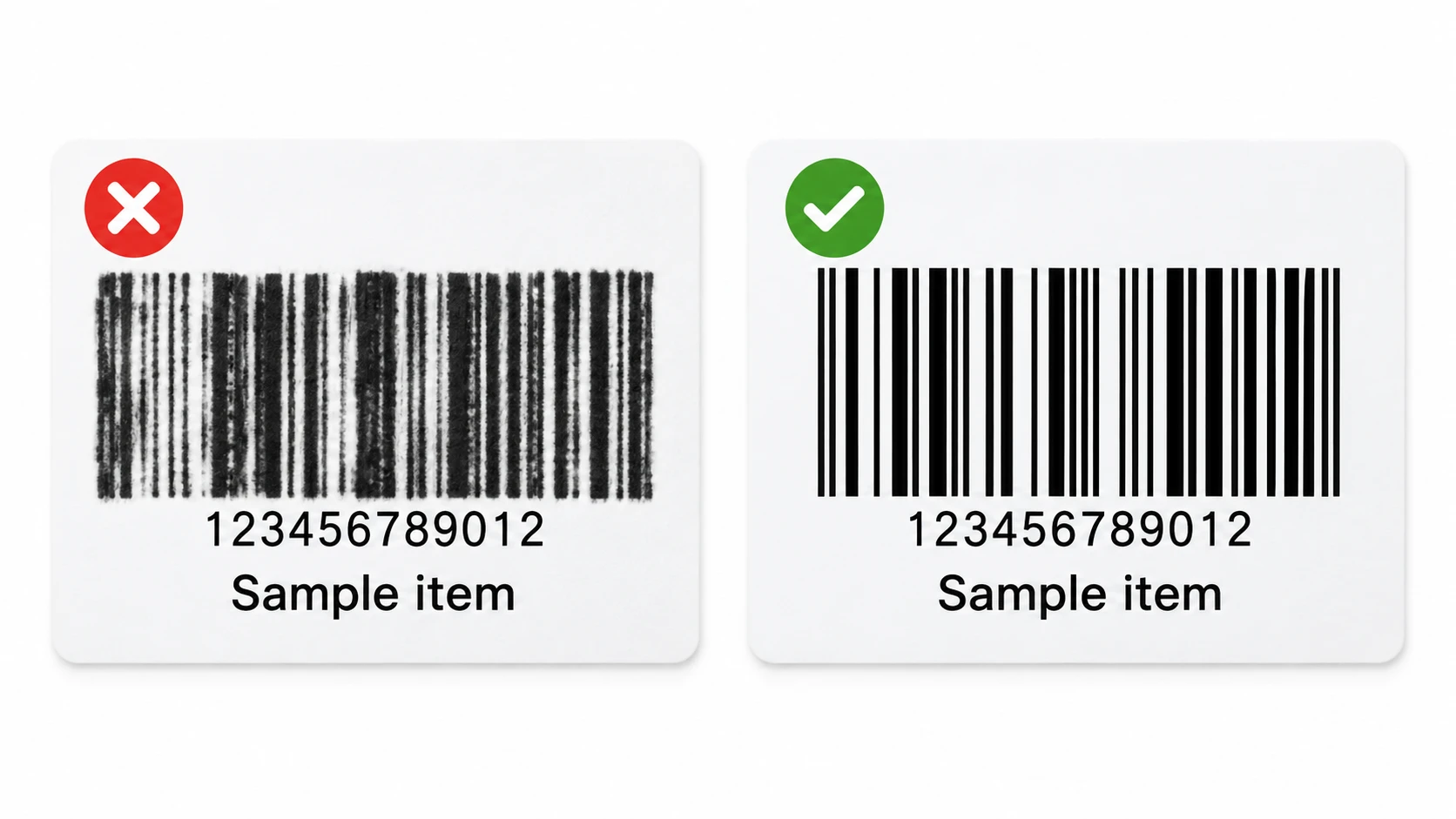
Most common causes
Module width is too small
If the narrowest bar is only 1 dot wide on a 203 DPI printer, heat spread and paper quality can blur the bars together. Start with ^BY2 or ^BY3 and test with the real scanner.
Not enough quiet zone
Scanners need blank space before and after the barcode. If text, boxes or the label edge are too close, the scanner cannot detect the symbol reliably.
Barcode height is too low
Very short barcodes are harder to read, especially with handheld scanners or curved packages. Increase the height parameter in ^BC, ^B3, ^BE or the barcode command you use.
Wrong symbology or invalid data
EAN and UPC require numeric data and a valid length/check digit. Code 39 only supports a limited character set. If the data does not match the barcode type, the scan may fail.
Print darkness, speed or DPI do not match the media
Too much darkness thickens bars; too little breaks them. High print speed can reduce edge sharpness. Match DPI, media and darkness before printing a production batch.
Quick fix checklist
- Set a safe module width: try ^BY3 on 203 DPI printers, then reduce only if the scanner reads consistently.
- Leave clear quiet zones on both sides of the barcode. Do not place boxes, text or images against the first and last bars.
- Increase barcode height and keep human-readable text enabled during testing so operators can compare the encoded value.
- Validate the data format: use Code 128 for flexible alphanumeric data, EAN-13/UPC only for retail-standard numeric values.
- Print a real label and scan it with the actual device used in production; a browser preview cannot prove scan reliability.
Safe Code 128 test label
This example uses Code 128 with ^BY3 and a 120-dot height, a good starting point for many 203 DPI Zebra printers.
^XA
^PW812
^LL406
^FO40,40^A0N,32,32^FDCode 128 scan test^FS
^FO40,100^BY3,2,120
^BCN,120,Y,N,N
^FD123456789012^FS
^XZFrequently asked questions
What ZPL command controls barcode width?
^BY sets the module width, wide-to-narrow ratio and default height for many linear barcodes. The first value is the most important for scan reliability.
Can a barcode preview prove it will scan?
No. A preview helps check layout and data, but scan reliability depends on the physical print, media, darkness, DPI and scanner.
Which barcode type should I use in ZPL?
Use Code 128 for most internal logistics and inventory labels. Use EAN-13 or UPC only when your retail system requires those standards.
About the author
Eduard Diaz
Eduard Diaz is an IT technician (development) at S-IE, an official Zebra partner with more than 20 years providing identification and labelling services. He builds and maintains EditorZPL to make working with ZPL and Zebra label printers easier.
s-ie.cat